🔏 Safe and Secure Checkout | 🔄 Easy Returns within 30 days | 📜 Free 1 Year Warranty on all Refurbished Gaming Consoles | 👮🏿 💒 Service Member, Government Worker, EMS & Teacher Discount Up To 20%👩⚕️ 🏥 | 📦🏷️✈️ Free U.S Shipping on Orders over $50 - DAILY WORLDWIDE SHIPPING 📦🏷️✈️
Buying a refurbished console is like picking up a used game from a friend, you want to know it works before you hand over cash.
Not all refurbished consoles are equal. Some sellers genuinely restore hardware; others just wipe off dust and call it a day.
Here's what to look for before you buy and when you unbox.
Understanding Refurbishment: What You're Actually Getting
Here's what you need to know:
Refurbished: Someone took it apart, tested it, replaced worn parts, and cleaned it thoroughly
Pre-owned: It's used, but the seller made no promises about what work was done
Used: Straight-up secondhand, sold as-is with no guarantees
The process should include functional testing, replacing failed components, and cleaning internals, but the label alone doesn't prove it. Your own inspection matters.
When shopping for a refurbished console like the Nintendo 64 System, ask what the refurbishment process includes. Did they test every port? Replace thermal paste?
Nintendo 64 System - Nintendo 64
The Refurbished Gaming Console Checklist: Visual Inspection
Before powering anything on, look closely, cosmetic condition tells you how the console was treated.
External Case and Cosmetic Condition
Examine the console from every angle under good lighting. Look for deep scratches, cracks (especially around corners or buttons), yellowing, dents, and signs the case was opened (misaligned seams, stripped screws). Light scratches are normal, even a good sign the seller didn't sand and repaint to hide damage.
Screen, Display, and Connector Ports
A single bad port can make the entire console useless. Inspect every port: AV connectors for bent pins or corrosion, HDMI ports for a flush fit and uncracked plastic, power input for burn marks, and cartridge or disc slots for debris or bent contacts. Use a flashlight to look into the ports.
How to Test a Used Gaming Console: Functional Verification
Visual inspection is step one. Now the part that matters: does it work under real gaming conditions? A console that boots to the menu can still fail when you load a disc, connect online, or play for an hour.
The Step-by-Step Console Testing Checklist
Run these in order, if a console fails early, stop and save yourself time.
Power-on and startup, Immediate response, no multiple presses, blinking lights, or grinding sounds.
Menu navigation, Every screen responds without lag or freezing.
Controller pairing and input, Pair a controller and test every button, stick, and trigger.
Disc or cartridge read, Insert a game and confirm it loads to gameplay, not just the title screen.
Storage check, Confirm the console recognizes its internal storage or memory card.
Network test, Connect to Wi-Fi and run the built-in test. Check the Ethernet port on older consoles.
HDMI or AV output, Stable picture and audio through the port you'll actually use.
Sustained gameplay, Play 30-60 minutes. This is where overheating, fan noise, and crashes show up.
Shutdown and restart, A console that won't shut down cleanly or won't come back on is a problem.
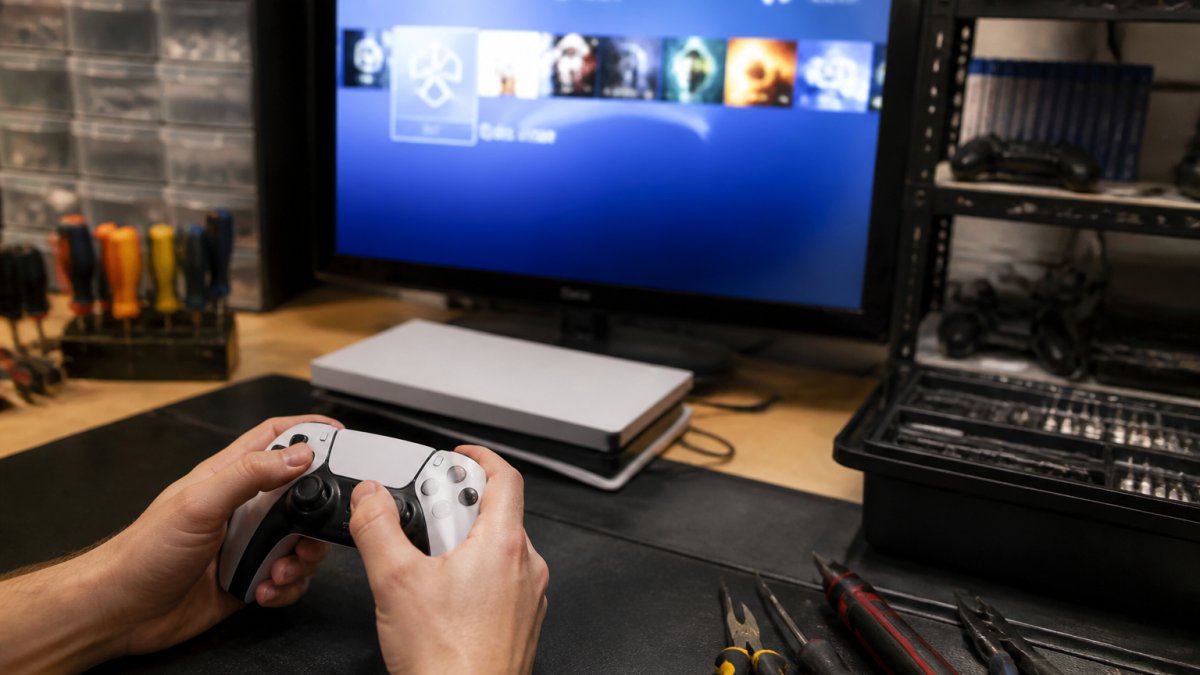
Gamer's hands holding a controller while testing button responsiveness on a refurbished console, with a TV screen displaying the game menu in the background
Disc Drive and Cartridge Slot Diagnostics
A console that reads one game isn't necessarily healthy. Disc drives and cartridge slots are common failure points.
For disc-based consoles (PlayStation, Xbox, GameCube, Wii): insert at least three discs, if one loads and another doesn't, the laser is weak or misaligned. Listen for grinding or repeated seeking.
For cartridge-based consoles (NES, SNES, N64, Genesis, Atari): the cartridge should seat firmly without jamming. If you notice corrosion or buildup on the contacts, a professional Game Console, Controller & Cartridge Cleaning Service can restore those connections.
Pro TipBring your own test game when buying in person. A seller's demo cartridge might be the one game their console reads perfectly.
Wi-Fi, Ethernet, and Online Connectivity
Even if you mostly play offline, a dead Wi-Fi chip can block updates, cloud saves, and multiplayer. Run the built-in connection test on a real network (your phone hotspot works). If it only connects right next to the router, the antenna may be damaged. On consoles with Ethernet ports, plug in a cable and confirm it registers.
HDMI, AV, and Display Output Tests
A flickering picture can mean a bad cable, a bad port, or a failing GPU, isolate which. Try a different cable first, then a different TV. Wiggle the cable at the port; if the picture cuts out, the port is loose or the solder joints are cracked. If you discover an HDMI port issue after purchase, HDMI Port Replacement Service can get your console back in action.
Storage, Memory Cards, and Save Data
Storage failures are sneaky, the console boots fine, but saves corrupt or games won't install. Confirm the console sees its full internal capacity (a 1TB reporting 500GB is a problem). Insert a memory card or external drive and confirm it's recognized. Create a test save, then reload it, if it corrupts or disappears, storage is failing.
Overheating, Fan Noise, and Sustained Gameplay
This is the test most buyers skip, and it catches the most problems. Many refurbished consoles pass a five-minute boot test but fail after 30 minutes of real gaming.
Play a demanding game for 30-60 minutes, actual gameplay, not a menu. The fan should be audible but steady; whining, rattling, or constant ramping suggests bearing wear or dust.
Watch OutIf a seller won't let you play a game for more than a few minutes, that's a red flag. A healthy console can handle an hour of gameplay without complaint.
Controller Responsiveness and Button Testing
A broken controller ruins the whole experience. For each button, press firmly for a solid click, press rapidly, and hold for a few seconds. Analog sticks matter most, move them in full circles and check for dead zones or drift, the most common issue on refurbished controllers.
Audio and Video Output Verification
Connect to a TV and load a game or the system menu. Check video: stable picture, accurate colors, proper screen fill, no artifacts or scan lines. Check audio: both speakers working, consistent volume, no crackling or static, and in sync with the video. Run through different games if possible, some issues only show up with specific content.
Questions to Ask When Buying a Refurbished Console
Before you buy, ask the seller these questions. A seller who knows their product gives specifics; one just flipping consoles gives vague reassurance.
"Refurbished" means different things to different sellers, some do full teardowns and component-level repair, others wipe the shell and call it refurbished. Ask: What does your refurbishment process include? (Look for full disassembly, cleaning, thermal paste replacement, capacitor inspection, port testing, and a burn-in period.) Do you grade consoles, and what does each grade mean?
Pro TipAsk for a photo of the console's serial number and the back label. This helps you confirm the unit matches what was advertised and gives you a record if something goes wrong later.
Account, Security, and Ownership Checks
Most buyers don't think about this until it's too late. A refurbished console can be locked to someone else's account, banned from online services, or still have parental controls enabled.
When it arrives, check yourself: under "Account Management," "Settings > Account," or "User Settings" depending on the console.
Warranty, Returns, and Proof of Purchase
A warranty is your safety net, but the details matter more than the label. Ask: What's the return policy, and how many days do I have? How long is the warranty, and what does it cover? Does it cover return shipping? Do you offer a testing guarantee?
Documenting Condition Before and After Purchase
This step saves you if a dispute happens. Before buying: save the listing photos and description, screenshot any messages about condition or warranty, and note the serial number if visible. When it arrives: photograph the box before opening, photograph the console from every angle before powering on, record a video of the first power-on and initial tests, and keep all packaging until you've confirmed it works.
About the Console's History
Ask: How long was this console in use before refurbishment? What caused it to need refurbishment? Has it been opened since, or is it sealed? Was it stored in a smoke-free, pet-free environment? These questions reveal whether the seller actually knows the unit, one who can tell you its history probably did the work themselves.
Understanding Refurbished Console Warranty and Protection
When you buy from Retro Gaming of Denver, every refurbished console comes backed by a 1-year warranty covering failures during normal use.
Most warranties cover hardware failure (buttons, ports, screen), power issues (won't turn on, random shutdowns), and audio/video problems.
Also ask about the return window. A solid seller will give you time to test the console and confirm it works.
Red Flags and What to Avoid
Some situations are worth walking away from. Avoid consoles that: won't power on at all; have visible cracks, especially around ports; show water damage (corrosion, discoloration, musty smell); have undocumented heavy mods; come with no warranty or an extremely limited one; have tampered or missing seals; or cost significantly less than comparable units.
Conclusion: Making Your Purchase with Confidence
Verifying a refurbished console's quality takes time, but it protects your investment and ensures years of gaming enjoyment.
Start with visual inspection of cosmetics and ports, then run functional tests: power-on, buttons, controllers, audio, and video. Ask tough questions and read the warranty carefully.
Choose a seller who stands behind their work. Browse consoles like the Nintendo Wii or the PlayStation 5 Slim and relive the gaming moments that matter to you.
Nintendo Wii (GameCube Compatible) (Refurbished)
Playstation 5 Slim Disc Edition - Playstation 5
A quick note: If you're buying a console that needs professional attention after purchase, whether it's a deep clean, a repair, or a modification, Retro Gaming of Denver offers specialized services. Our Console Cleaning Services and Console Repair Services can help restore your hardware to peak condition.
What does 'refurbished' actually mean for a gaming console?
A refurbished console is a pre-owned unit that has been professionally cleaned, tested, and restored to working condition. However, the label alone doesn't guarantee thorough repair or testing. Some sellers may simply wipe down the exterior without addressing internal issues. That's why asking the seller what their specific refurbishment process includes, cleaning, testing, parts replacement, is critical. At Retro Gaming of Denver, every refurbished console is thoroughly reconditioned and tested before shipping, backed by a 1-year warranty so you know you're getting a properly verified unit.
How long should you test a refurbished console before the return window closes?
Test your refurbished console immediately upon arrival, ideally within the first few hours. Run through power-on checks, controller responsiveness, audio and video output, and load a game if possible. Most sellers offer return windows of 14-30 days, so don't wait. If something fails during that window, you'll want to catch it before you lose the ability to return or exchange it. Document any issues with photos or video and contact the seller right away.
What should a refurbished console warranty actually cover?
A solid refurbished console warranty should cover hardware defects, power supply failures, port malfunctions, and controller issues. It typically does not cover physical damage you cause after purchase, water damage, or cosmetic wear from normal use. Retro Gaming of Denver backs every refurbished console with a 1-year warranty, covering manufacturing and refurbishment defects. Before buying, ask the seller exactly what's covered, how long you have to file a claim, and whether they'll replace or repair the unit if it fails.
How can you tell if a refurbished console has been tampered with or had unofficial repairs?
Look for broken or mismatched screws, signs of sealant tampering, and internal components that don't match the console's original specifications. Check that all included accessories, cables, controllers, power supplies, are official parts, not unofficial third-party replacements. Ask the seller directly whether the console has had any repairs beyond their refurbishment process. Original parts and intact seals are signs of legitimate refurbishment; obvious repairs or mismatched components suggest someone else may have opened it up.




Leave a comment