
Free U.S. Shipping on Orders over $50 - DAILY WORLDWIDE SHIPPING
FOR ALL SUBSCRIBERS

Quick Summary
To buy a refurbished retro console with warranty, check the seller's reputation and return policy, then read the written warranty terms before you pay. Confirm what counts as a defect, how long coverage lasts, and who pays shipping on a claim. Test the console the day it arrives while the return window is open.
Last Updated: October 28, 2026
Here's the thing about old consoles: they're not made anymore, and the ones still floating around are often 20 to 40 years old. That's why a warranty matters so much. Gamers may want the real NES or Sega experience without the risk of buying a dead box.
A warranty tells you the seller stands behind what they sold. Without one, you're basically gambling. Our refurbished consoles come with a 1-year warranty, so if something goes wrong, you have a clear path to get help.
Look at what a refurbished console involves before you buy. Learn what refurbishment actually includes so you can judge how much a warranty really protects you. consumer guidance on buying refurbished electronics explains that buyers should always check what a seller means by "refurbished" and what protection comes with it.
Here's what a solid warranty should give you:
Watch out: a "warranty" with no written terms is just a promise. Ask for the details first.
Before you spend a dime, look at who you're buying from. Learn how to tell a legitimate retro gaming seller from a fake one before handing over money. Start with reviews. Check for patterns, like many complaints about broken consoles or ignored warranty claims.
Next, read the return policy. A good seller lets you send back a console that doesn't work. Check the return policy before you buy.
Also look for real contact info. A business with a phone number, an email address, and a physical location is easier to deal with than an anonymous listing.
This is the step that saves the most headaches, and it's also where most buyers skim. See a clear breakdown of what console warranties cover and exclude before you commit. A warranty is only as good as its fine print, so read it like you'd read a game's manual before a boss fight, slowly, and looking for the catches.
Here's what a real warranty document should spell out, and what to check line by line:
How a claim usually goes. Ask up front about shipping and warranty terms.
Watch out: a "warranty" with no written terms is just a promise. "Lifetime warranty" with no document behind it is marketing, not coverage. Ask for the details in writing before you pay, and if the seller won't put them in writing, treat that as a red flag.
general warranty guidance from the Federal Trade Commission is a solid primer on what makes warranty terms clear and fair, and it's worth a read before you compare sellers.
Once you have a console in hand, check that it matches the listing. Find trustworthy sources for authentic Sega consoles if you're shopping for one of those systems. Look at the shell, the buttons, and the cables. A clean, complete setup tells you the seller cares about quality.
Our consoles are reconditioned, tested where possible, and 100% authentic.
Here's a quick check you can do:
Custom Super Nintendo System →
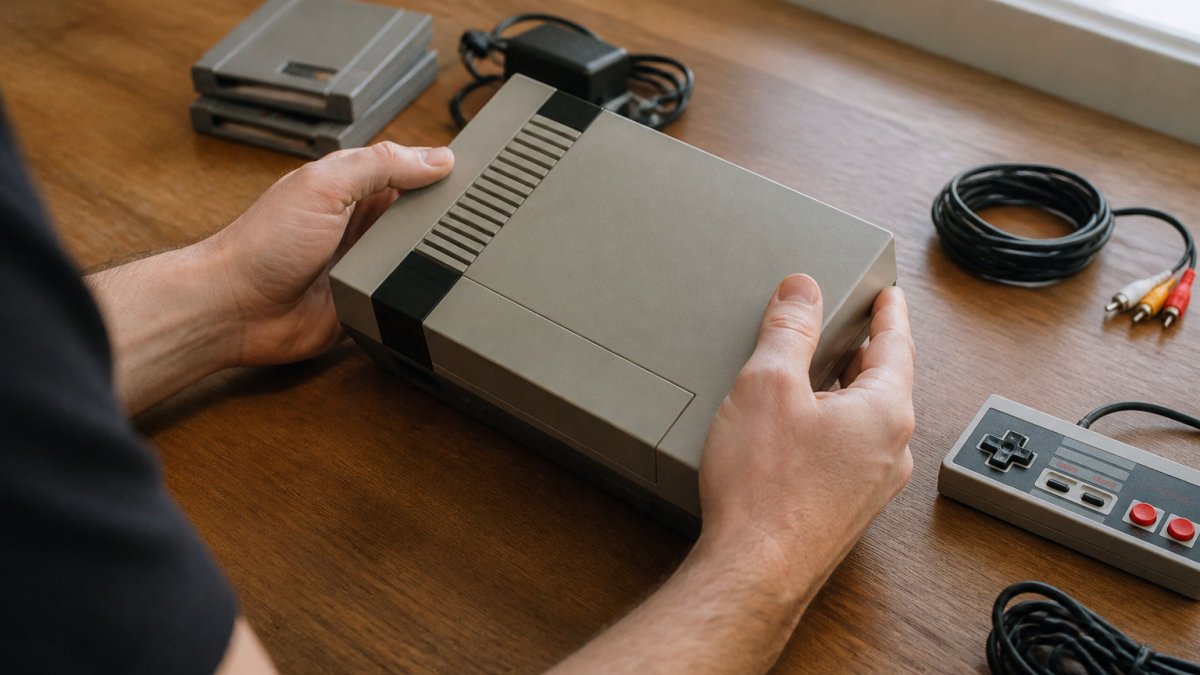
Testing is where you find out if the console really works, and where you build the evidence you'd need if you have to make a warranty claim later. Do this the day it arrives, while the return window is wide open. Thorough verification protects your investment against the inherent risks of as-is electronics that often lack the safety net of a formal warranty.
Set up with known-good gear. Use a power supply and video cable you trust, on a display you know works. A dead console is sometimes just a bad cable or the wrong regional power brick, so rule those out first. If the console takes an external power supply, confirm the voltage and polarity match the label on the unit, the wrong brick can kill a working console.
Run the sustained test, not just the power-on. Plug in a game and play for at least 15-20 minutes. Many retro faults, failing capacitors, overheating, flaky power regulators, only show up after the system warms up. If it boots cold but glitches or shuts off warm, that's a defect, not a quirk.
Go through the ports and inputs one by one:
Model-specific failure points to watch for. A few patterns come up again and again on retro hardware: capacitor leakage and failing power boards on older systems, worn controller port pins, disc drives that struggle with dual-layer or scratched discs, and save batteries that are decades past their rated life. If you know your model's known weak spots, test those first, a seller's "tested" claim means little if they never loaded a game that exercises the disc drive or the save memory.
Document everything. Take photos of the serial number, the shell, and any fault as it happens, and note the date and time. If you have to file a claim, a short video of the glitch is worth more than a paragraph of description.
If something feels off, don't ignore it. Contact the seller right away and keep the packaging until you're satisfied.
A used console is sold as-is, usually with no testing and no warranty. A refurbished console has been cleaned, checked, and repaired where needed.
Here's the simple difference:
| Feature | Used Console | Refurbished Console |
|---|---|---|
| Testing | Often none | Tested where possible |
| Warranty | Usually none | Typically included |
| Cleaning | Varies | Thorough reconditioning |
| Best for | Budget buyers who accept risk | Gamers who want reliability |
Our refurbished Custom Super Nintendo System includes a 1-year warranty, two new controllers, and the listed cables.

You now know what to look for: readable warranty terms and a console you've checked carefully. Browse a warranty-backed used console listing you can buy right away. Put that checklist to work.
Consider our Nintendo 64 System, which includes a controller, cables, and a 1-year warranty. Want a portable option? Check out the Sega Game Gear Handheld, refurbished with new capacitors, a new speaker, and a new screen cover.


Need help keeping your console running? We also offer Video Game Console Repair Services and Game Console, Controller & Cartridge Cleaning Services.
Start with the seller's reputation, the warranty length and what it covers, and the return window. Then look at the listing for clear condition notes, tested-before-sale statements, and a description of what is included, such as the power cable, AV cable and controllers. Check that the photos match the actual unit. A listing that is vague about testing or warranty is a red flag.
A warranty should state how long it lasts and how to file a claim. Read whether the seller repairs or replaces a unit that fails. At Retro Gaming of Denver, every refurbished console comes with a 1-year warranty. Always confirm the terms in writing before checkout.
The Custom Super Nintendo System at Retro Gaming of Denver, for example, is refurbished, re-shelled and backed by a 1-year warranty.
Contact the seller as soon as you notice the problem and describe what happens, including any error or sound. Keep your order confirmation and note the date you bought the console. Ask how the claim works and how long the process takes. Retro Gaming of Denver backs every refurbished console with a 1-year warranty.
Grab a console with a warranty behind it, check it when it arrives, and get back to the games you grew up with.


{"one"=>"Select 2 or 3 items to compare", "other"=>"{{ count }} of 3 items selected"}

Leave a comment